
Best IPTV player: which app suits your device?
Looking for the best IPTV player? Compare well-known apps by platform, playlist support and programme guide, and pick one for your TV, stick or phone.
- By IPTV Europa Editorial Team
- Published
- Updated
- 4 min read
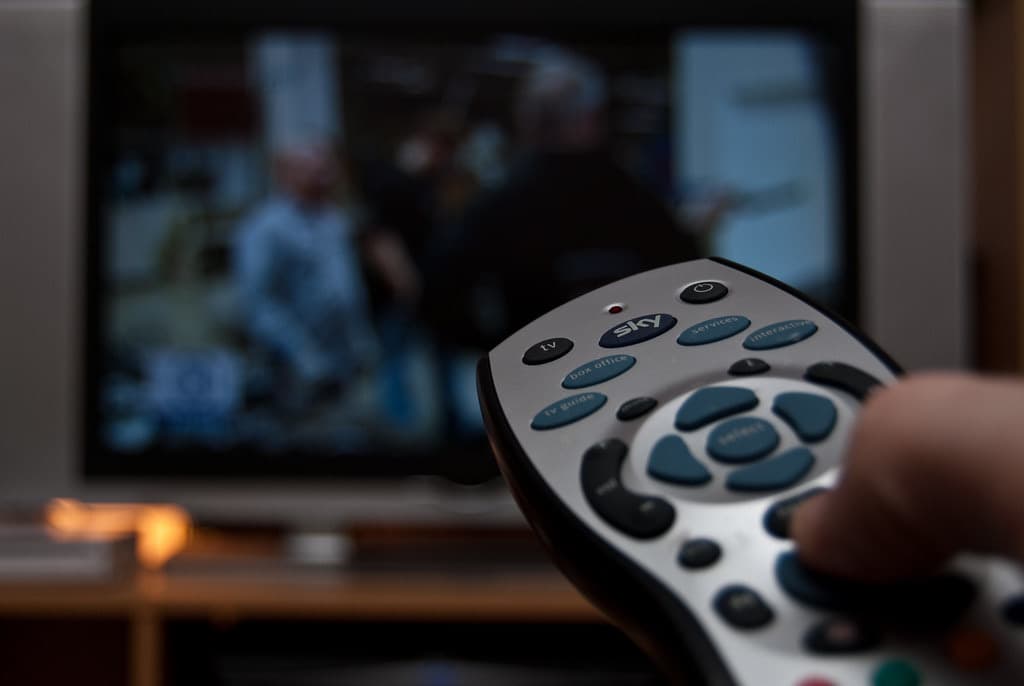
The best IPTV player is the one that runs natively on your device and supports the login type your provider gives you. On Android TV and Fire TV that is often TiviMate or IPTV Smarters Pro; on a computer VLC is hard to beat; on Samsung and LG televisions the choice is narrower.
An IPTV player contains no channels. It is software that reads your provider's playlist and displays it with a channel list and programme guide.
Best IPTV player options at a glance
The table is based on each developer's published specifications, not on our own benchmark testing, and the order is alphabetical.
| Player | Platforms | Login types | Programme guide (EPG) | Cost model |
|---|---|---|---|---|
| IPTV Smarters Pro | Android, iOS, Android TV, Fire TV, some Smart TVs, Windows, macOS | Xtream Codes, M3U | Yes | Free, with paid extras on some platforms |
| Kodi with PVR IPTV Simple Client | Windows, macOS, Linux, Android, and more | M3U | Yes, via XMLTV | Free, open source |
| Smart IPTV | Samsung and LG Smart TVs, Android TV | M3U, uploaded through the developer's website | Yes | One-off activation per TV after a trial |
| TiviMate | Android TV, Fire TV, Android | Xtream Codes, M3U, Stalker Portal | Yes | Free version, premium upgrade |
| VLC media player | Windows, macOS, Linux, Android, iOS | M3U | No grid guide | Free, open source |
Prices and features change, so confirm them on each developer's official site before buying.
How to choose
Start with your device
- Fire TV and Android TV: the widest choice. TiviMate is designed for the remote control; IPTV Smarters Pro is a good all-rounder.
- Samsung and LG Smart TVs: only apps in the manufacturer's store will install, which limits you to Smart-TV-specific players. A streaming stick is an inexpensive way to gain more options.
- Apple TV, iPhone and iPad: use players from the App Store; VLC is a reliable free starting point.
- Windows and macOS: VLC or Kodi.
Then check the login type
Your provider will give you either an M3U playlist link or an Xtream Codes login (server address, username and password). Most players accept both, but not all. If you are unsure which you have, read our explanation of M3U vs Xtream Codes.
Finally, the comfort features
Decide whether you need a programme guide, favourites, catch-up, recording or several playlists side by side. These are where the paid upgrades differ.
IPTV app or IPTV player: is there a difference?
People search for the best IPTV app, an IPTV player or IPTV apps in general, but they mean the same thing: software that plays the channels from your service. Some apps are built for phones and tablets, others for the big screen with a remote. On a TV, choose an IPTV app designed for remote control, with large buttons and a grid programme guide; on a phone, one that supports casting to the TV is handy.
Setting up a player in five steps
- Install the player from your device's official app store.
- Open it and choose to add a playlist or user.
- Enter the M3U link, or the server address, username and password.
- Add the EPG address if your provider supplies one separately.
- Wait for the channel list to load, then mark your favourites.
Download players only from official stores or the developer's own site. Modified copies offered elsewhere are a common source of malware.
What makes a good IPTV player
Channel lists look similar in every app. The differences show up after a week of daily use, so judge a player on these points:
- Remote-control handling. On a television you navigate with arrow keys. A player built for touchscreens is tiring to use from the sofa.
- Programme guide. A good guide loads quickly, matches programmes to the right channels and lets you correct a time offset.
- Buffer and decoder settings. Being able to switch between hardware and software decoding, or to enlarge the buffer, often cures stutter on older devices.
- Several playlists. Useful if you have more than one source or want a separate list for children.
- Catch-up and recording. Only relevant if your provider supports them, but a player must support them too.
- Regular updates. Check the date of the last update in the app store. Abandoned apps break when devices are updated.
VLC and Kodi are maintained by long-running open-source projects; you can download them from videolan.org and kodi.tv.
Fixing common playback problems
| Symptom | Likely cause | What to try |
|---|---|---|
| Buffering every few seconds | Weak Wi-Fi or a congested line | Use an Ethernet cable, or move the router closer |
| Stutter on one device only | Decoder not suited to the stream | Switch between hardware and software decoding |
| Sound out of sync | Audio passthrough mismatch | Turn passthrough off in the player's audio settings |
| Channels load but will not start | Device limit of your plan reached | Stop the stream on another device |
| Guide shows the wrong programmes | Time zone offset | Adjust the EPG time shift in settings |
If a problem appears in every player and on every device, the cause is on the provider's side or in your connection, not in the app.
Next steps
If you do not have a service yet, see how to choose an IPTV subscription. If the basics are still unclear, what is IPTV covers them in five minutes.
Frequently asked questions
Are IPTV players legal?
Yes. A player is neutral software, like a web browser. It contains no channels; legality depends on the playlist or subscription you load into it.
Do IPTV players come with channels?
No. Reputable players are empty when installed. Be wary of any app that arrives pre-loaded with pay-TV channels.
Is a free IPTV player good enough?
Often, yes. VLC and Kodi are free and capable. Paid upgrades mainly add comfort features such as multiple playlists, recording or a richer programme guide.
Sources
- videolan.org– videolan.org
- kodi.tv– kodi.tv
About this article
IPTV Europa Editorial Team
Researched and written by the IPTV Europa editorial team from each developer's published specifications. We have not benchmarked these players ourselves; the comparison table is in alphabetical order, not a ranking.
Last reviewed: Our editorial standards